

What is key information extraction?
Key information extraction (KIE) runs the same detection + recognition pipeline as/ocr, but structures the output differently. Instead of a nested hierarchy of pages, blocks, lines, and words, the /kie endpoint groups all detected text under labeled field types — returning a flat list of recognized words with their positions and confidence scores.
The default predictor uses a single "words" field type that contains every detected word. Custom field types (e.g. "total", "date", "vendor") require fine-tuning on a labeled dataset.
Use KIE when you want:
- Flat structured output — skip the block/line hierarchy and get all words directly for downstream processing
- Custom classification pipelines — pair the flat word list with your own field-type logic
- Preparing for fine-tuning — start with the default output, then train on labeled data (CORD, FUNSD, SROIE) to get semantic field types
Example: extracting fields from an invoice
Here’s the same invoice from the text detection guide: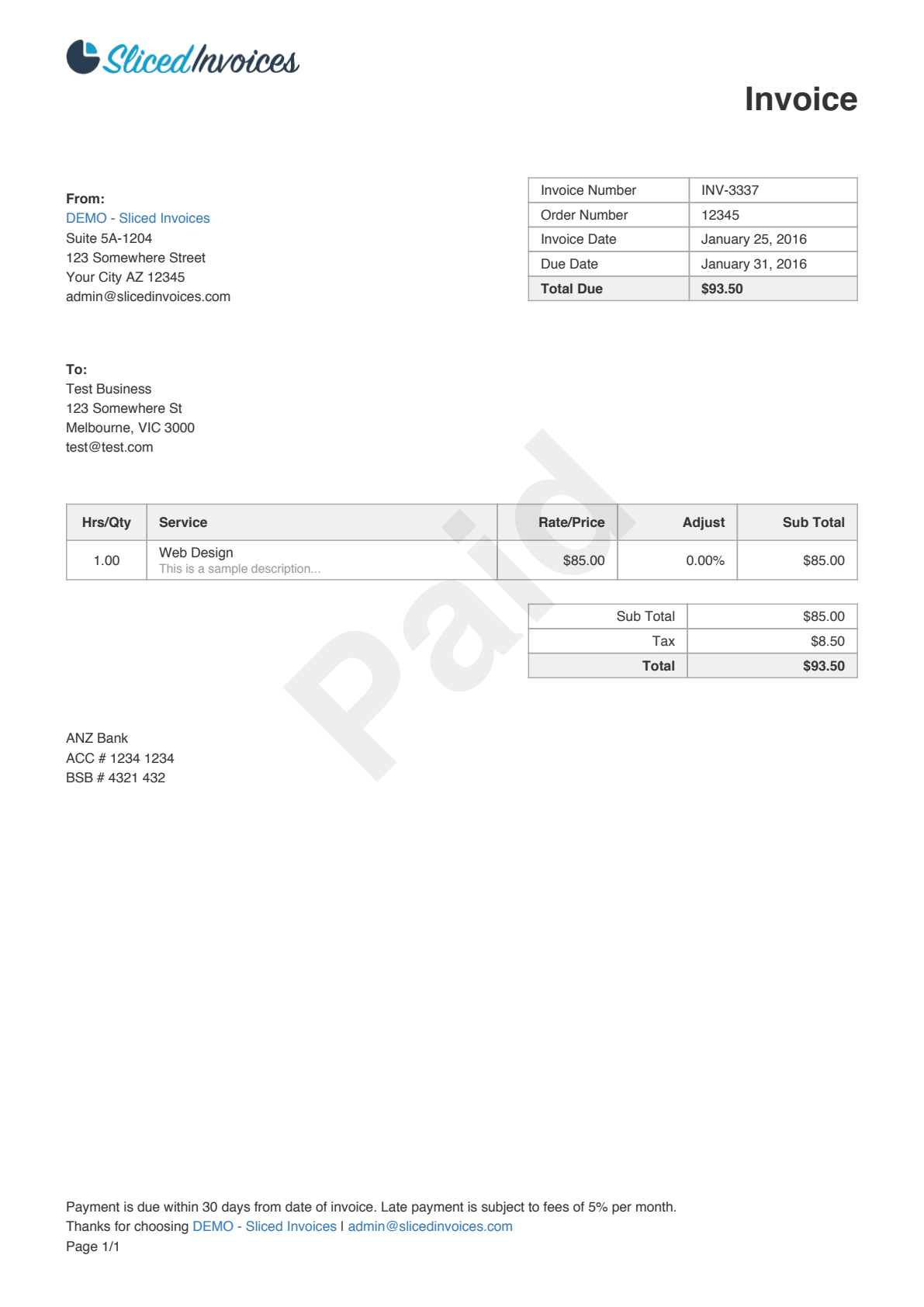
The response above is abbreviated — this invoice produces 111 words in total. All words appear under the default
"words" field type. Custom field types like "total" or "date" require a fine-tuned model.| Field | Description |
|---|---|
value | The recognized text string |
geometry | Bounding box as [x_min, y_min, x_max, y_max], normalized 0–1 relative to page dimensions |
confidence | Recognition confidence (0–1) — how sure the model is about the text content |
detection_score | Detection confidence (0–1) — how sure the model is that this region contains text |
text_orientation | Detected rotation of the text crop (0 = horizontal) |
Parameters
All parameters are optional query parameters passed in the URL.| Parameter | Default | Description |
|---|---|---|
detection_model | db_resnet50 | The detection architecture to use. See available models. |
recognition_model | crnn_vgg16_bn | The recognition architecture to use. See available models. |
assume_straight_pages | true | Return axis-aligned boxes. Set to false for rotated documents to get 4-point polygons. |
preserve_aspect_ratio | true | Pad the image to preserve its aspect ratio before feeding it to the model. |
detect_orientation | false | Detect and report the page orientation (rotation angle). |
detect_language | false | Detect and report the page language. |
symmetric_padding | true | Pad symmetrically (centered) rather than bottom-right only. |
straighten_pages | false | Automatically rotate pages to correct detected skew. |
detection_batch_size | 2 | Number of pages processed in parallel for detection. Increase for multi-page PDFs if you have enough memory. |
recognition_batch_size | 128 | Number of text crops processed in parallel for recognition. Decrease if you run into memory issues. |
disable_page_orientation | false | Skip page orientation classification entirely. |
disable_text_orientation | false | Skip text crop orientation classification. |
binary_threshold | 0.1 | Pixel-level threshold for the segmentation heatmap. |
box_threshold | 0.1 | Minimum confidence to keep a detected box. |
KIE vs full OCR
The/kie and /ocr endpoints run the same detection and recognition models, but return results in different structures.
/kie | /ocr | |
|---|---|---|
| Output structure | Flat list of words grouped by field type | Nested hierarchy: pages > blocks > lines > words |
| Field grouping | Words grouped under labeled field types (default: "words") | Words grouped by spatial proximity into lines and blocks |
| Spatial context | Individual word positions only | Line-level and block-level bounding boxes included |
| Use when | You need a flat word list for downstream processing or custom field classification | You need the document’s visual structure (paragraphs, columns, sections) |
Understanding field types
The default KIE predictor groups all detected text under a single"words" field type. It does not semantically classify fields — every word on the page appears in the same list regardless of whether it’s an invoice number, date, or line item.
With a fine-tuned model, the output would contain multiple field types:
- CORD — receipt understanding with 30 field types (menu items, prices, totals)
- FUNSD — form understanding with header, question, answer, and other fields
- SROIE — receipt extraction for company, date, address, and total