

What is text detection?
Text detection is the first stage of the OCR pipeline — it finds where text appears in an image without reading it. The/detection endpoint returns bounding box coordinates for every text region it finds.
Use detection on its own when you only need to know where text is, not what it says:
- Document layout analysis — identify text blocks, headers, and table cells by their positions
- Text region highlighting — draw attention to text areas in a UI
- Pre-processing for custom pipelines — feed detected regions into your own recognition model or downstream logic
- Counting text blocks — quickly assess how much text is on a page
Example: detecting text in an invoice
Here’s an invoice PDF we’ll use to demonstrate detection: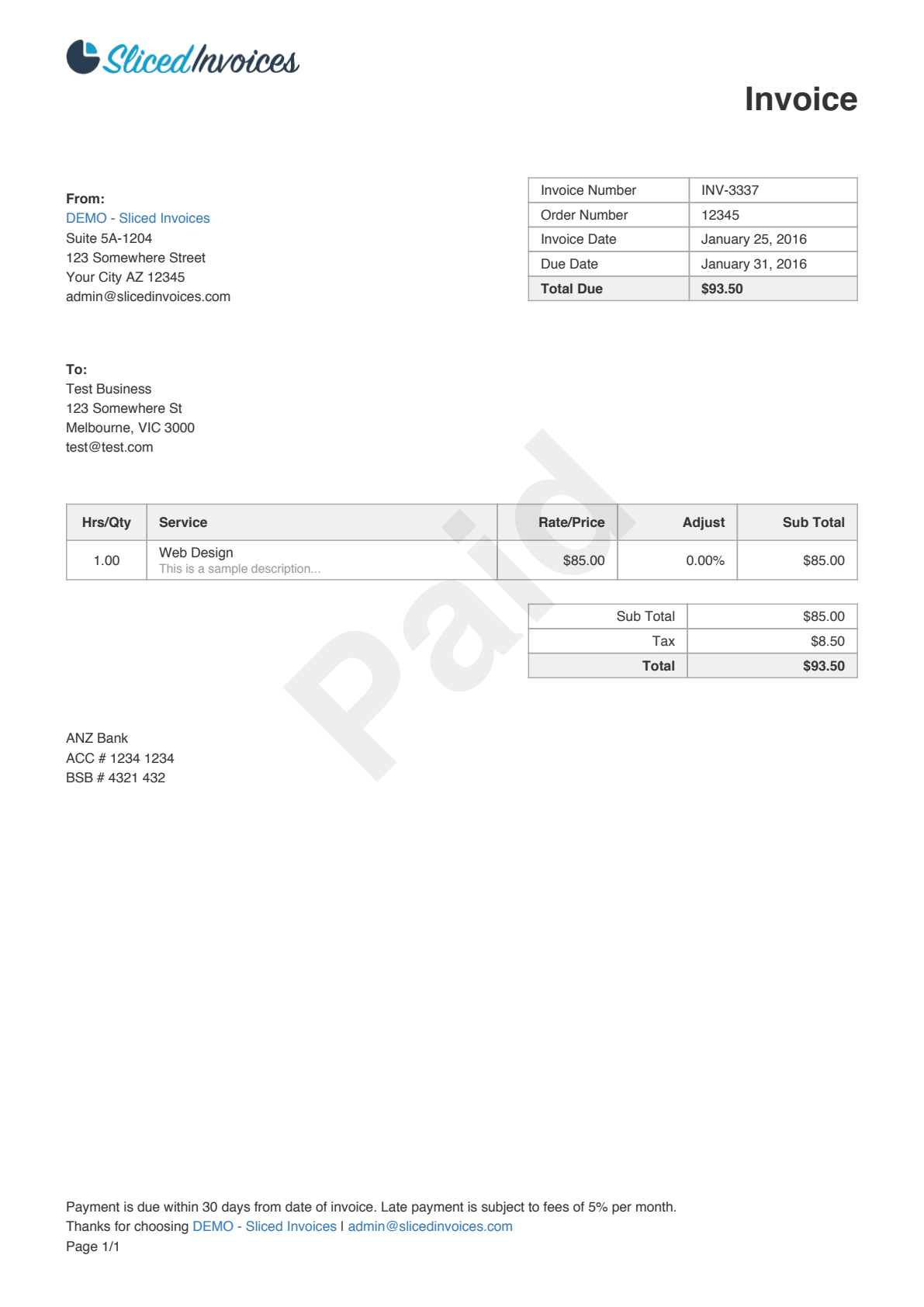
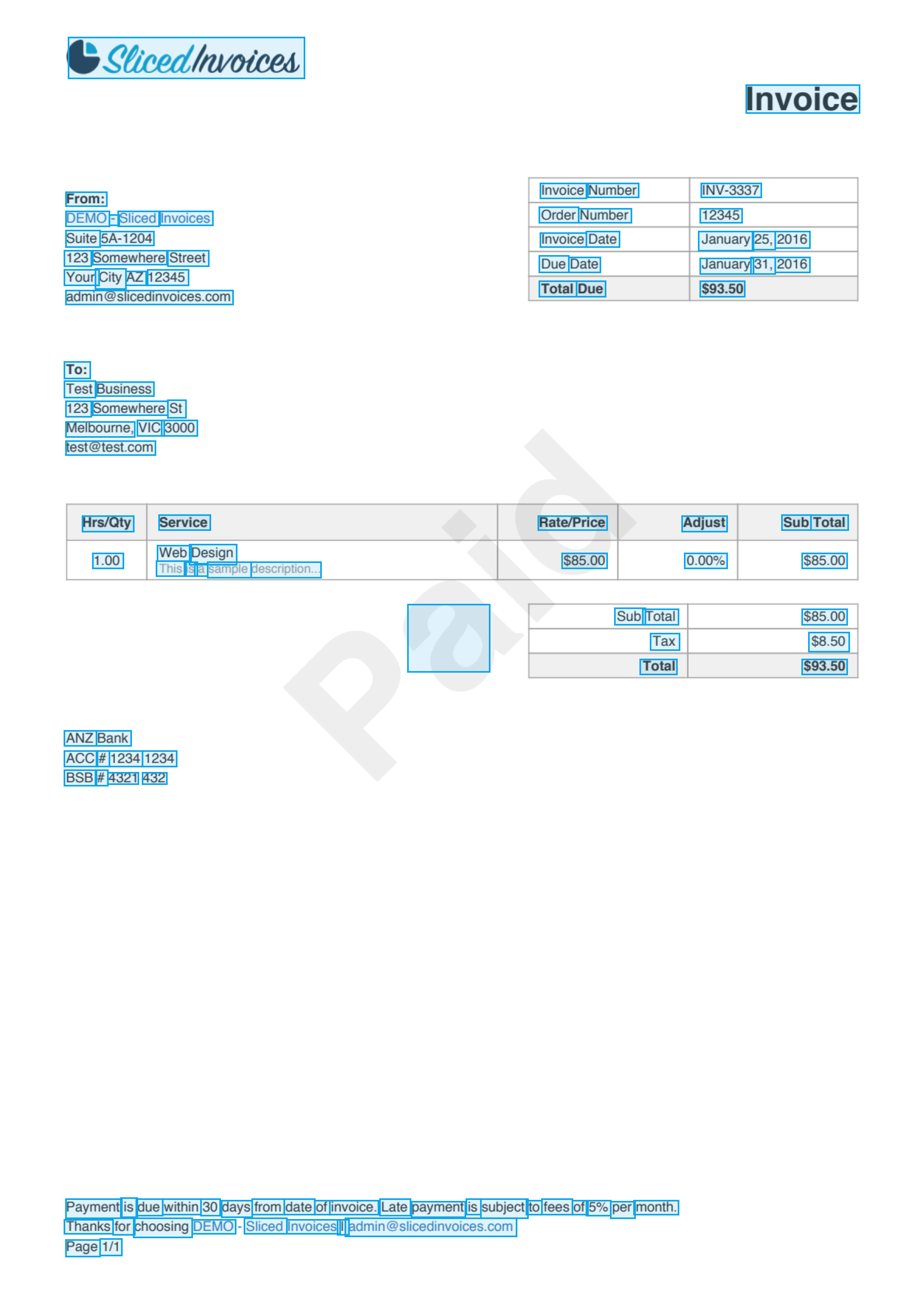
The response above is abbreviated — this invoice produces 111 bounding boxes in total. Each box corresponds to a single word-level text region.
[x_min, y_min, x_max, y_max], where values range from 0 to 1 relative to the page dimensions. To convert to pixel coordinates, multiply by the page width and height. See Geometry format for details.
Parameters
All parameters are optional query parameters passed in the URL.| Parameter | Default | Description |
|---|---|---|
detection_model | db_resnet50 | The detection architecture to use. See available models for options. |
assume_straight_pages | true | Return axis-aligned boxes. Set to false for rotated documents to get 4-point polygons instead. |
preserve_aspect_ratio | true | Pad the image to preserve its aspect ratio before feeding it to the model. |
symmetric_padding | true | Pad symmetrically (centered) rather than bottom-right only. |
detection_batch_size | 2 | Number of pages processed in parallel. Increase for multi-page PDFs if you have enough memory. |
binary_threshold | 0.1 | Pixel-level threshold for the segmentation heatmap. |
box_threshold | 0.1 | Minimum confidence to keep a detected box. |
Tuning thresholds
The two threshold parameters control the sensitivity/precision trade-off:- Lower thresholds — detect more text regions, including faint or low-contrast text, but may introduce false positives
- Higher thresholds — detect fewer, higher-confidence regions, reducing noise but potentially missing subtle text
Detection vs full OCR
The/detection endpoint returns only bounding boxes — it tells you where text is but not what it says. The /ocr endpoint runs both detection and recognition, returning a full nested hierarchy of pages, blocks, lines, and words with recognized text and confidence scores.
/detection | /ocr | |
|---|---|---|
| Output | Flat list of bounding boxes | Nested hierarchy with recognized text |
| Speed | Faster (one model) | Slower (two models) |
| Response size | Smaller | Larger |
| Use when | You only need text locations | You need to read the text |
Next steps
Full OCR endpoint
Run detection and recognition together to get the full text content.
OCR pipeline
Understand the two-stage detection + recognition architecture.
Available models
Choose the right detection model for your use case.
API reference
Full endpoint documentation with parameters and response schema.