

What is OCR?
OCR (Optical Character Recognition) converts images of text into machine-readable data. Instead of manually typing out what’s in a photo of a document, OCR does it automatically. Trace OCR is a REST API that does this for you. Upload an image or PDF, and get back structured text with positions and confidence scores — all in a single API call.Use cases
Here are some concrete examples of what you can build with Trace OCR:- Receipt and invoice processing — extract line items, totals, dates, and vendor information from photos of receipts or scanned invoices
- Document digitization — convert scanned papers, contracts, and reports into searchable, editable text
- Form data extraction — pull field values from filled-in forms, applications, and questionnaires
- ID and card reading — read information from ID cards, business cards, or membership cards
- Compliance and archival — index large document archives so they become searchable and auditable
How it works
Trace OCR processes documents in three steps:- Upload — you send an image or PDF to the API
- Detect — a deep learning model scans the image and finds all text regions
- Recognize — a second model reads each detected region and outputs the text
Example: processing a receipt
Let’s walk through a real example. Here’s a photo of a crumpled Apple Store receipt: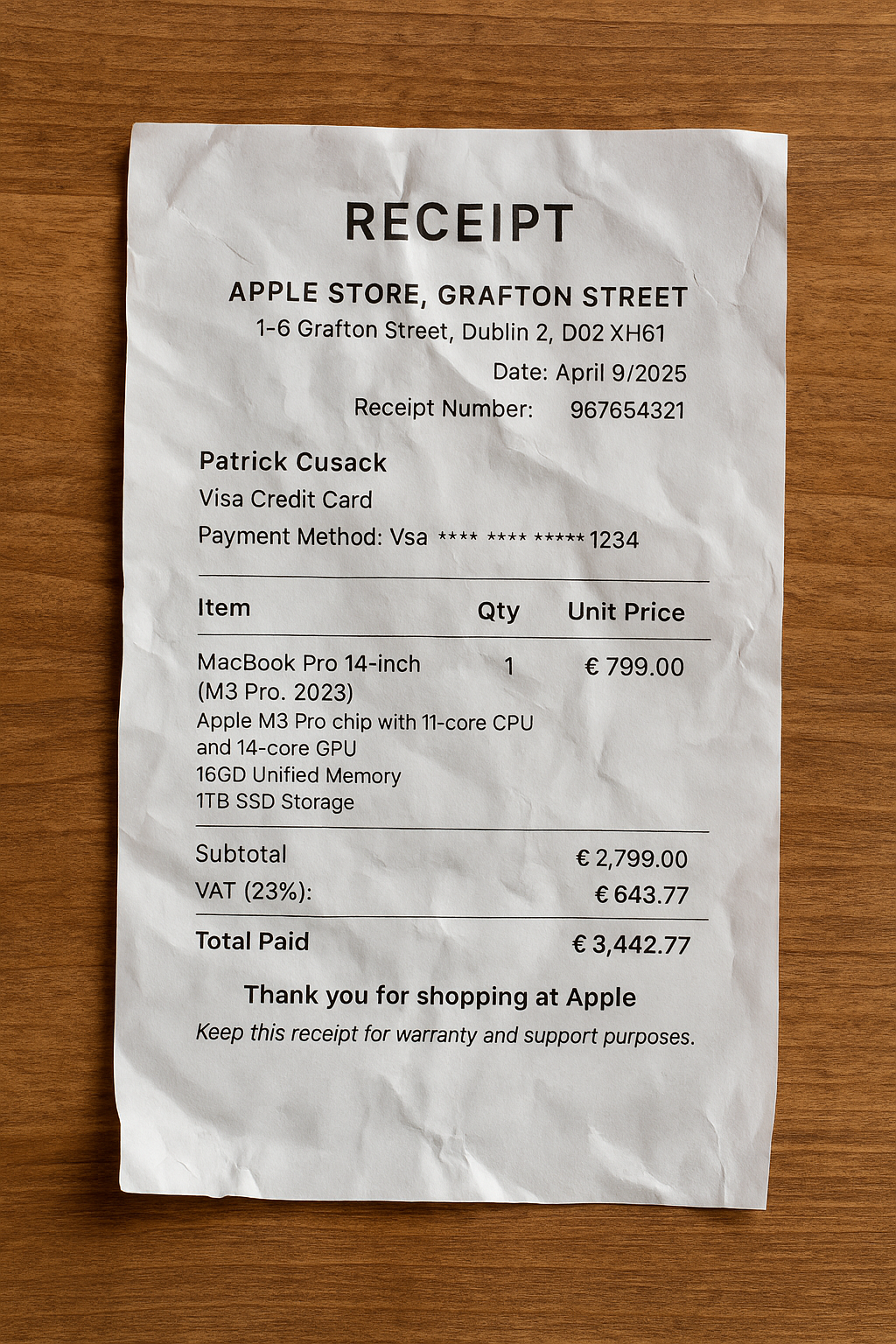
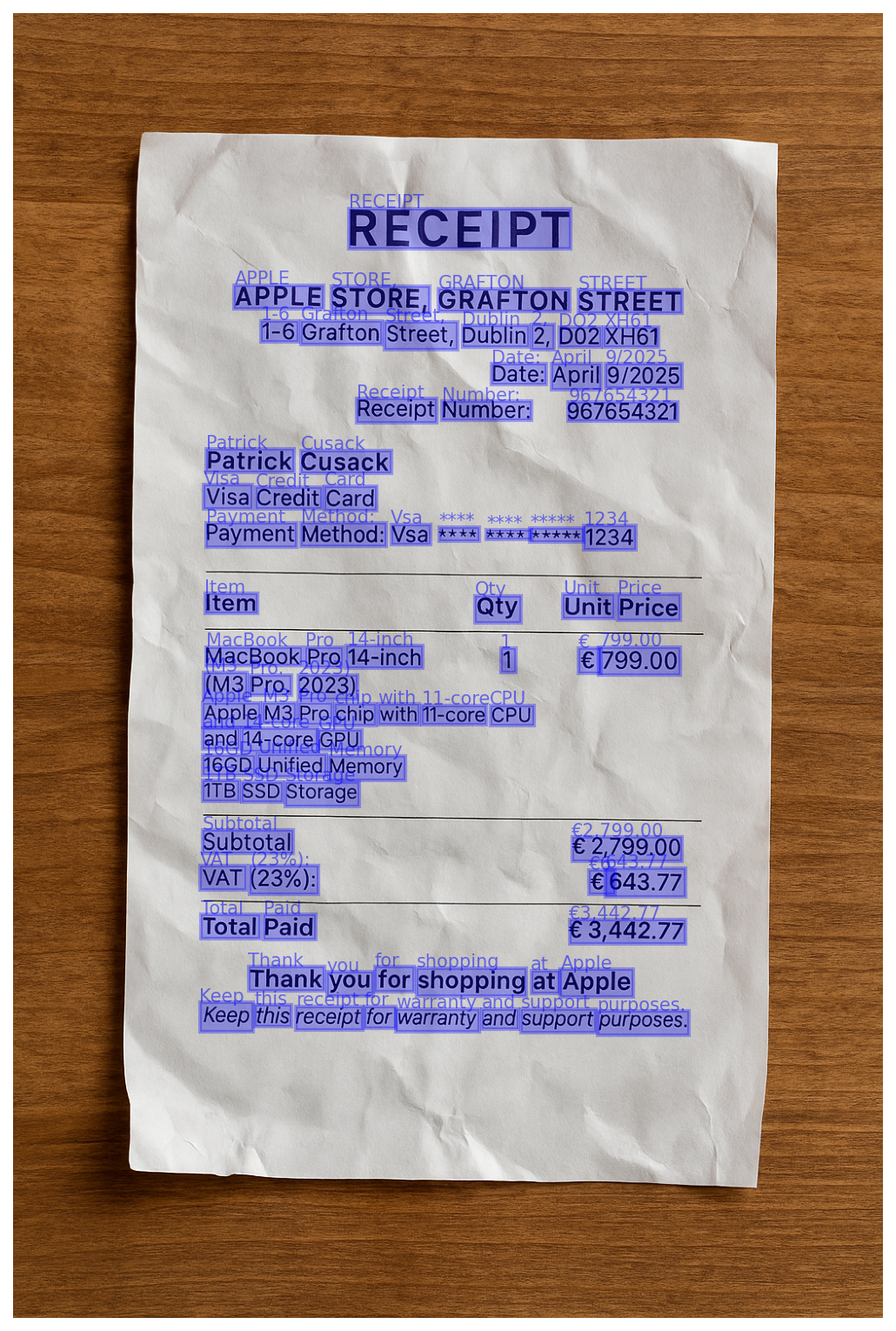
The response above is abbreviated. The full response includes every word on the receipt — addresses, dates, prices, line items, and totals — all with bounding boxes and confidence scores.
| Field | Description |
|---|---|
| value | The recognized text for this word |
| geometry | Normalized bounding box [x_min, y_min, x_max, y_max] where values range from 0 to 1 relative to page dimensions |
| confidence | How certain the recognition model is about the text (0 to 1) |
| detection_score | How certain the detection model is that this region contains text (0 to 1) |